> ## Documentation Index
> Fetch the complete documentation index at: https://discountkit.app/llms.txt
> Use this file to discover all available pages before exploring further.
# Order
> Provide discounts when customers reach spending thresholds
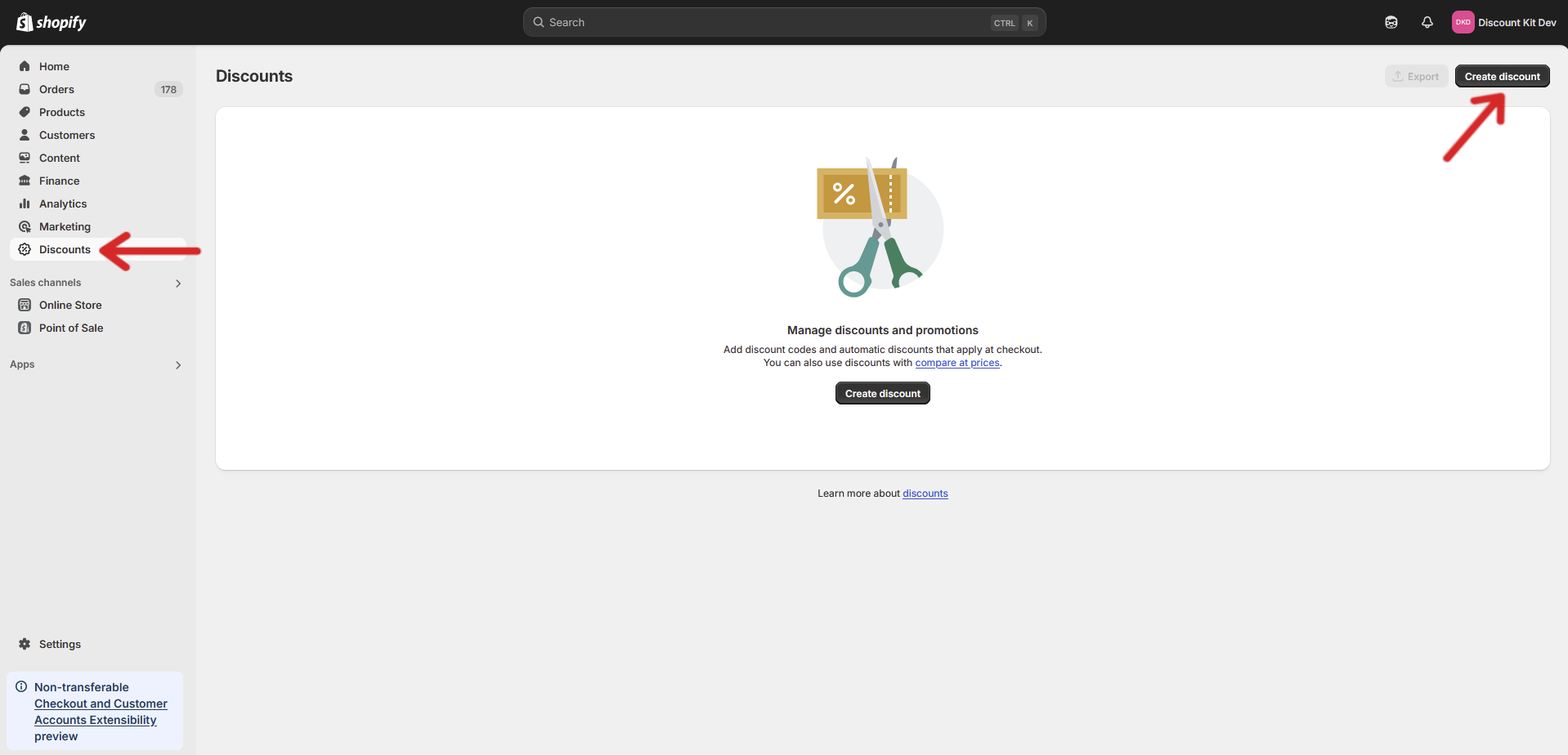
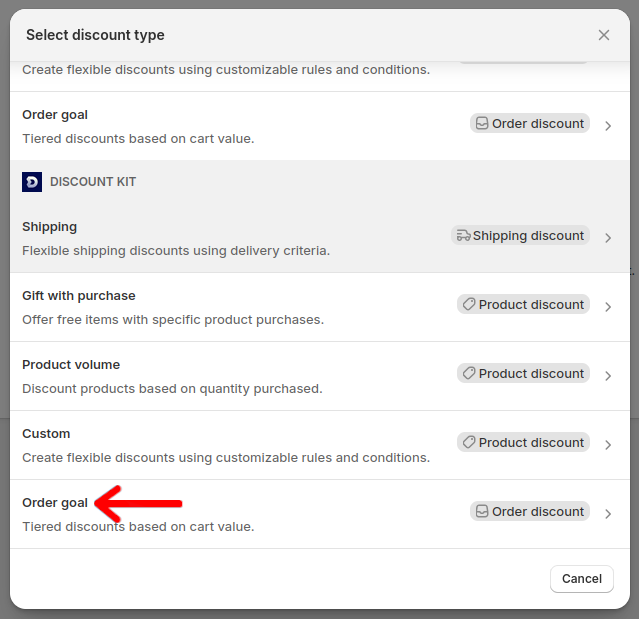
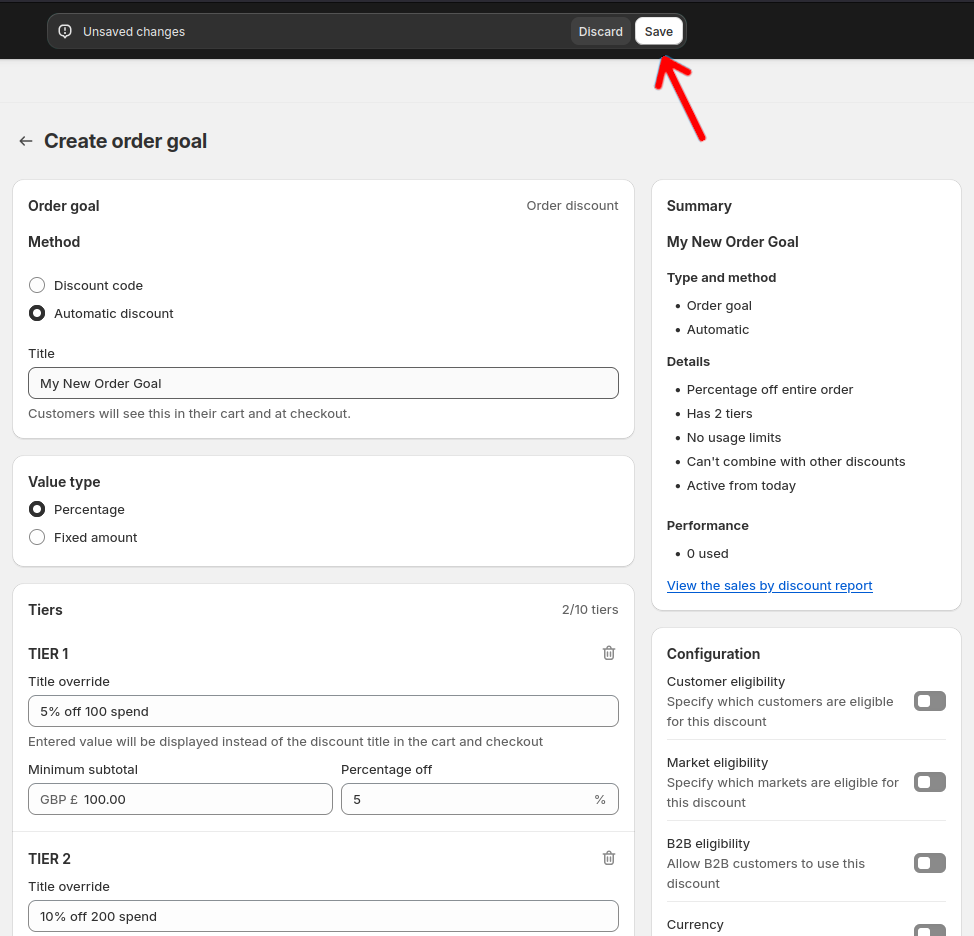
## Setup
 ## Settings
#### Value Type
Denotes the type of discount that will be applied, either a percentage or fixed amount, to the order.
### Discount application
#### Exclude a specific collection
You can exclude products from a specific collection from counting towards thresholds or receiving discounts.
## Settings
#### Value Type
Denotes the type of discount that will be applied, either a percentage or fixed amount, to the order.
### Discount application
#### Exclude a specific collection
You can exclude products from a specific collection from counting towards thresholds or receiving discounts.
 #### Exclude products with compare at prices
Allows for excluding products with compare at prices from both the prerequisite count and discount.
Using exclusions (either collection or sale items) limits this discount to 1 tier due to a technical limitation on the Shopify side.
### Tiers
Allows for the merchant to give varying discount amounts based on different cart values. Discounts are not cumulative, and thus each tier will replace the discount value of the previous tier.
#### Title override
This will be displayed instead of the discount title in the cart if specified. Currently only works for automatic discounts.
#### Minimum subtotal
Specifies the minimum value required in the cart to unlock the tier.
#### Percentage/Fixed amount off
Specifies the discount value that will be applied to the cart.
## Integrations
#### Order Goal Banner
Open your store's **Theme Editor** and then head to the **cart** page. On the left-hand side, click **Add block**. Under **Apps**, select **Order Goal Banner**.
This component displays the remaining spend amount needed to achieve the next tier in an active Order Goal discount.
#### Exclude products with compare at prices
Allows for excluding products with compare at prices from both the prerequisite count and discount.
Using exclusions (either collection or sale items) limits this discount to 1 tier due to a technical limitation on the Shopify side.
### Tiers
Allows for the merchant to give varying discount amounts based on different cart values. Discounts are not cumulative, and thus each tier will replace the discount value of the previous tier.
#### Title override
This will be displayed instead of the discount title in the cart if specified. Currently only works for automatic discounts.
#### Minimum subtotal
Specifies the minimum value required in the cart to unlock the tier.
#### Percentage/Fixed amount off
Specifies the discount value that will be applied to the cart.
## Integrations
#### Order Goal Banner
Open your store's **Theme Editor** and then head to the **cart** page. On the left-hand side, click **Add block**. Under **Apps**, select **Order Goal Banner**.
This component displays the remaining spend amount needed to achieve the next tier in an active Order Goal discount.
