> ## Documentation Index
> Fetch the complete documentation index at: https://discountkit.app/llms.txt
> Use this file to discover all available pages before exploring further.
# POS specific discounts
> Use Discount Kit discounts at your physical retail locations
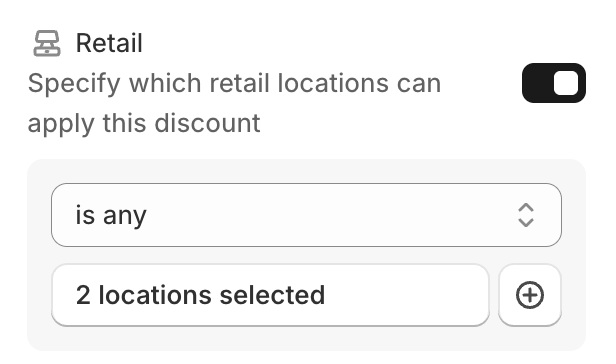 Our Retail Location Discount feature empowers you to offer exclusive discounts directly at your point of sale. This innovative tool allows you to customize promotions for specific store locations, providing a personalized shopping experience for your local customers.
Leverage this feature to create discounts tailored to each retail spot. Whether you're running a sale in one city or offering special deals in another, you can easily manage these promotions through Discount Kit.
When setting up a discount, simply navigate to the 'Eligibility' options in your admin panel. Here, you can specify which store locations will offer the discount.
Our Retail Location Discount feature empowers you to offer exclusive discounts directly at your point of sale. This innovative tool allows you to customize promotions for specific store locations, providing a personalized shopping experience for your local customers.
Leverage this feature to create discounts tailored to each retail spot. Whether you're running a sale in one city or offering special deals in another, you can easily manage these promotions through Discount Kit.
When setting up a discount, simply navigate to the 'Eligibility' options in your admin panel. Here, you can specify which store locations will offer the discount.
Selecting `is none`, of `All locations` will result in the discount applying to all non-POS sales channels. Selecting `is some`, of `All locations` will result in the discount being a POS-only discount, that won't apply on any other sale channel.