Tiered Rewards
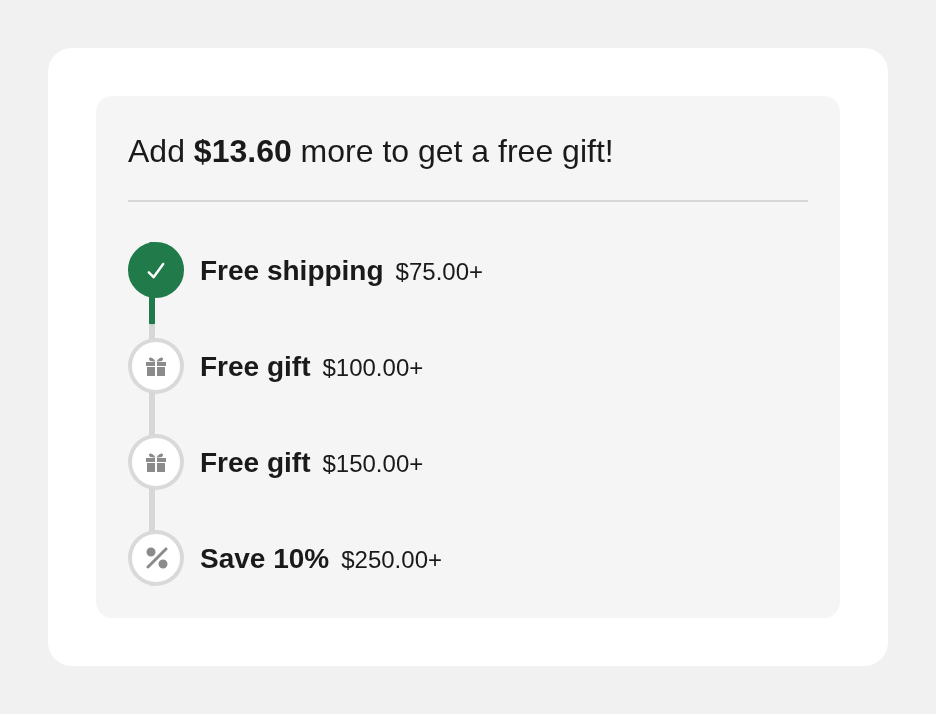
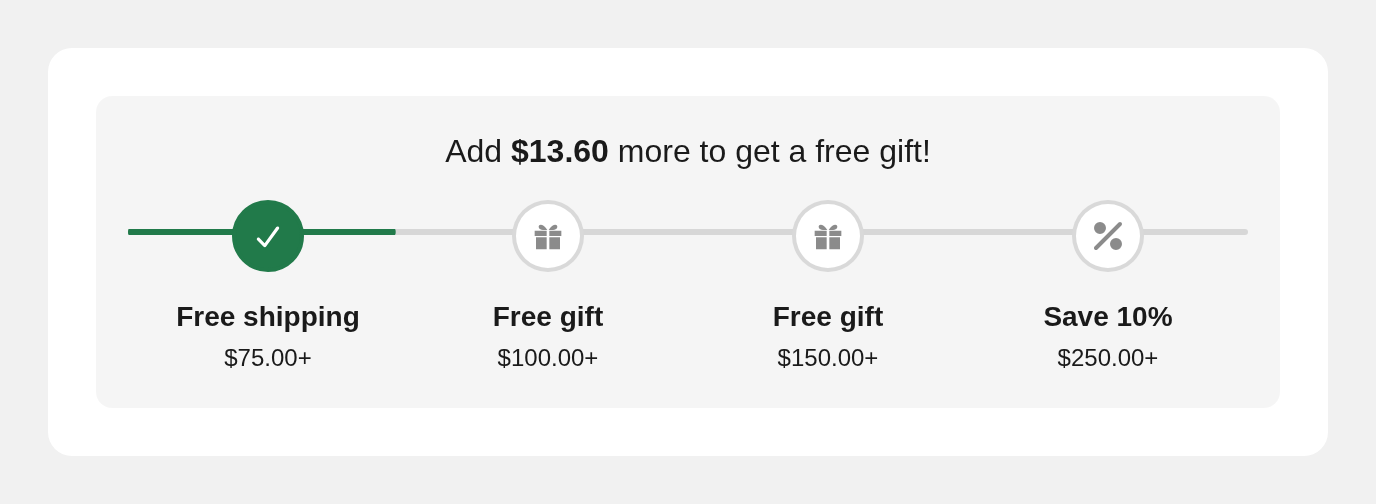
<dkl-tiered-rewards> shows progress toward a tiered rewards
or Order discount’s offers: a progress track, evenly-spaced tier markers, and an “Add [amount]
more to…” message that flips to a success heading once every tier is met.
This component was previously called Order Goal, with the tag <dkl-order-goal> and
--dkl-og-* tokens. Both were renamed with it: update any hand-written tags and custom CSS,
and recreate components saved before the rename.
Each tier gives one reward, and the component says which:
| Reward | Marker icon | Default label | Default next-goal message |
|---|---|---|---|
| Order discount | % or banknote | Save 10% | Add $20.00 more to save 10% on your order! |
| Shipping discount | Delivery van | $5.00 off shipping | Add $20.00 more to save $5.00 on shipping! |
| Free gift | Gift box | Free gift | Add $20.00 more to get a free gift! |
A discount measured in quantity counts items instead (“Add 2 more…”, “3+ items”), and its own free gifts never count toward the goal. Every icon can be replaced with an image from your store’s Files, and every label and message is editable.
It’s a light-DOM component (like the sale badge) — no shadow DOM and no CSS parts. The Liquid snippet server-renders the full UI so it paints server-side, and the component re-renders in place on cart updates — recomputing the progress fraction, marker states, and message locally, which keeps it theme-agnostic.
On this component
Section titled “On this component”Accessibility
Section titled “Accessibility”- Progress bar semantics. The track carries
role="progressbar"witharia-valuemin,aria-valuemax,aria-valuenow, and a money-formattedaria-valuetext(e.g. “$40.00 of $100.00”, or “2 of 5” for a goal measured in items), so assistive tech reports real progress toward the goal rather than a bare percentage. - Live progress message. The “Add [amount] more…” headline (and the success message)
is an
aria-live="polite"region, so it’s announced as the cart total changes. - State beyond colour. Met tiers are marked with both an
--activeclass and a check icon, not colour alone. Keep--dkl-tr-progress-colorand the marker colours at sufficient contrast when restyling.