Sale
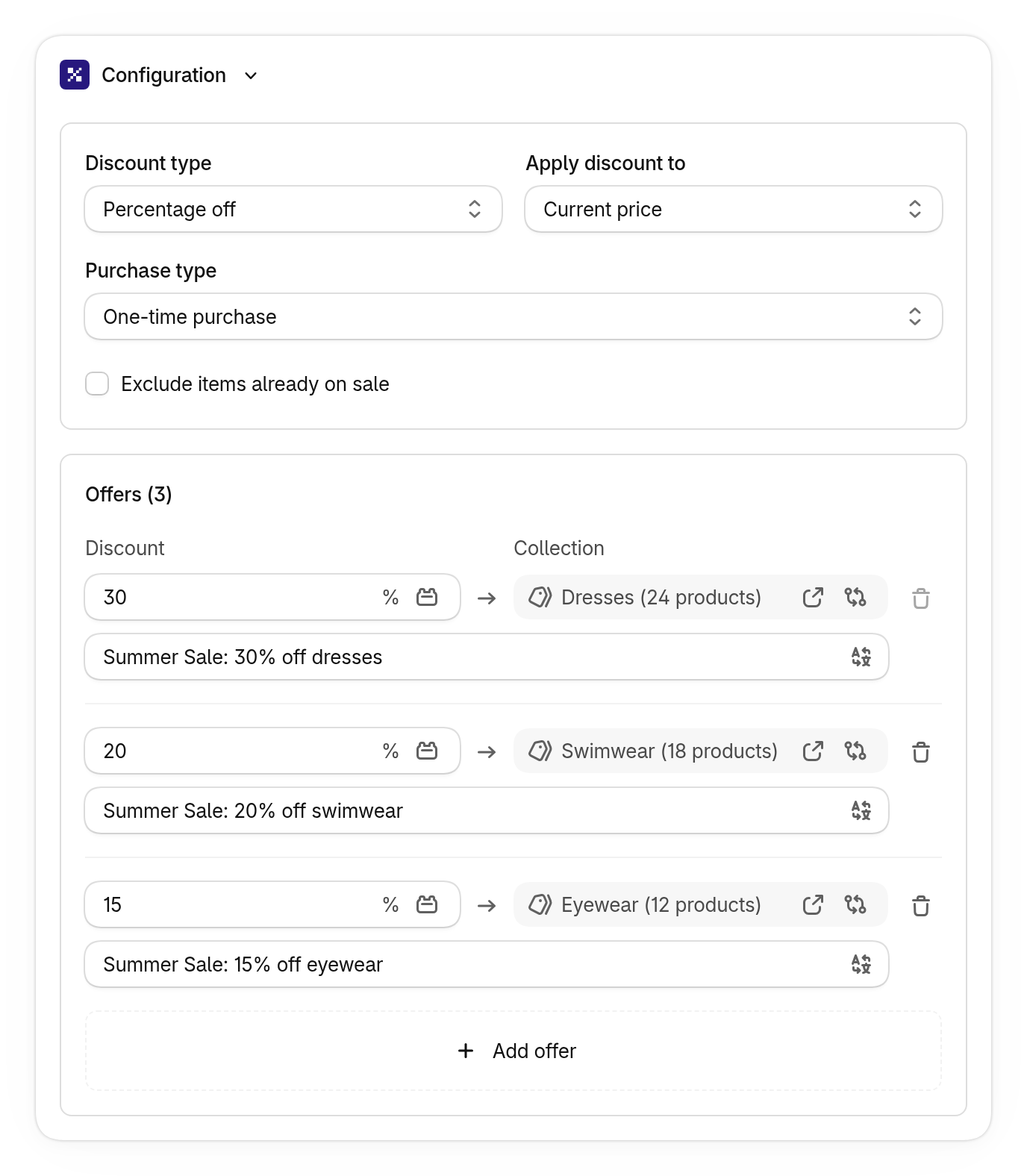
A sale discount is one Shopify product discount that holds a list of offers. Each offer pairs a collection with a discount, such as 30% off dresses, 20% off swimwear and 15% off eyewear. At checkout, every item in an offer’s collection gets that offer’s discount.
Use it for seasonal or storewide sales where different collections get different markdowns, and you’d rather manage one discount than one per collection.
-
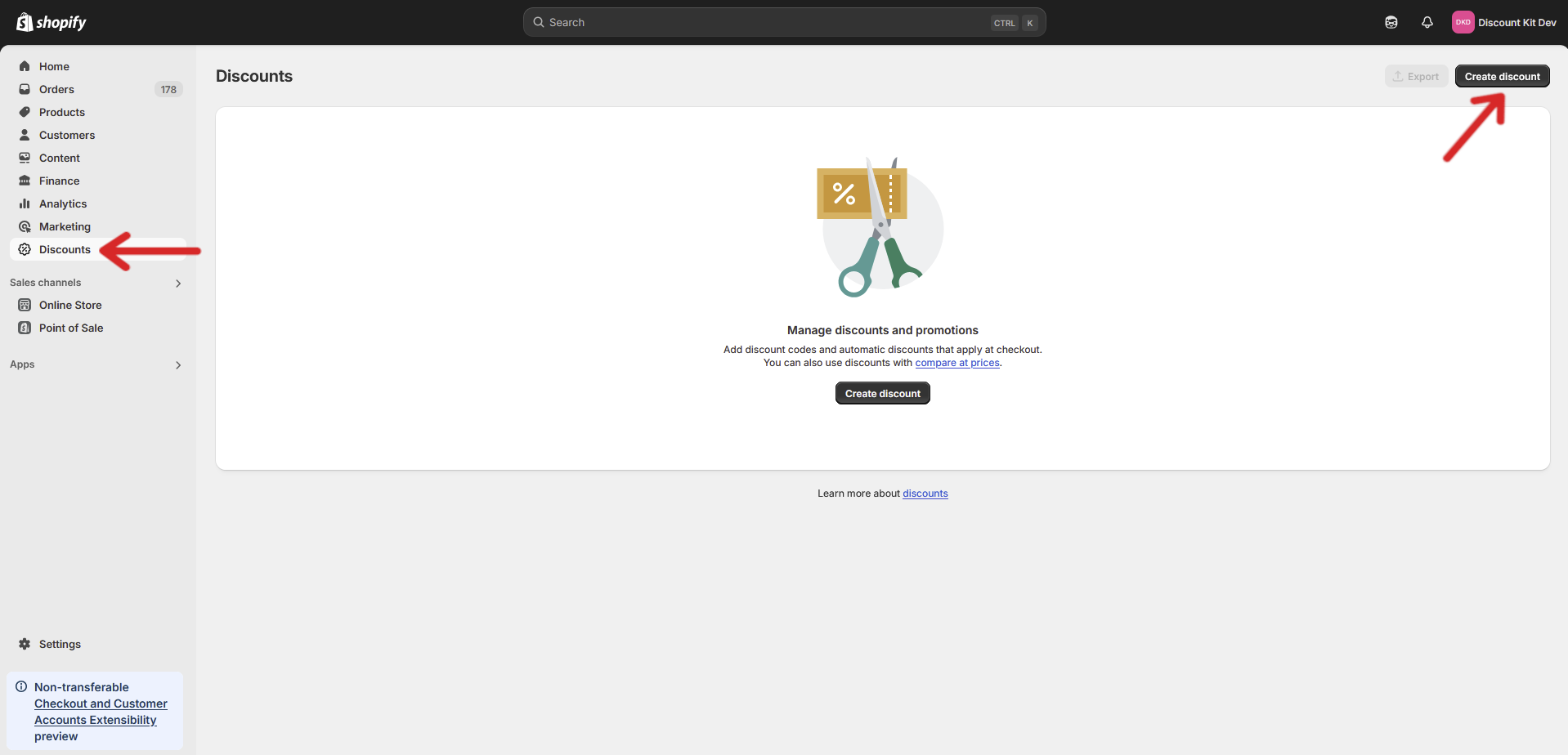
Open your store’s Discounts page and click Create discount
-
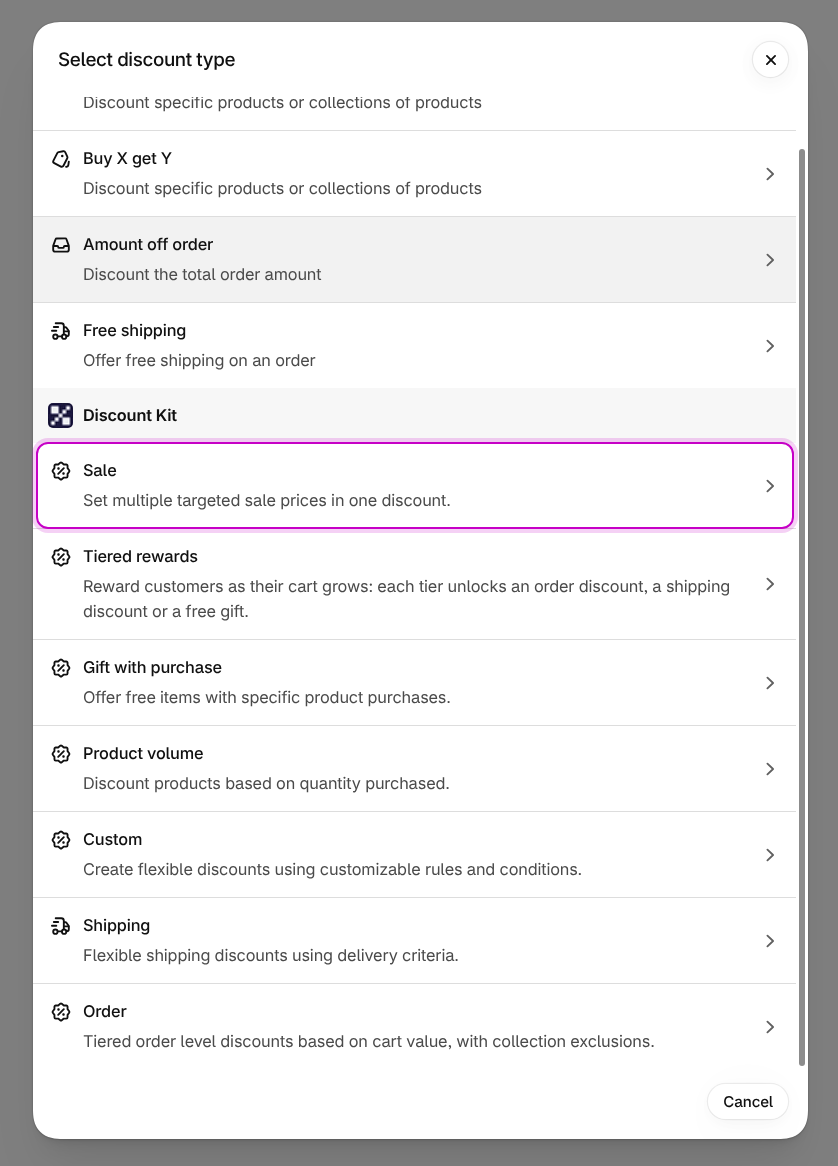
Scroll down to the Discount Kit section and click Sale
-
Choose the discount type, add an offer for each collection, and click Save
Settings
Section titled “Settings”The first group of settings applies to the whole sale, and so to every offer in it.
Discount type
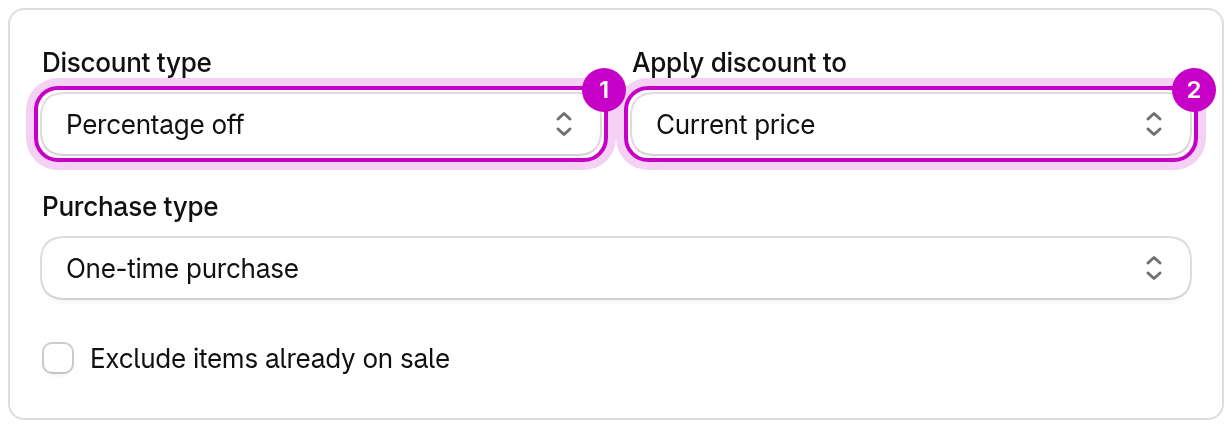
Section titled “Discount type”How every offer’s value is read:
- Percentage off takes a percentage off the item, from 0 to 100.
- Amount off takes a fixed amount off each item, never more than the item’s price.
- Fixed price sets the price of each item. It never raises a price: items already cheaper than the fixed price are left alone.
Because the type applies to the whole sale, one sale can’t mix percentage and fixed-price offers. To do that, create two sales.
Apply discount to
Section titled “Apply discount to”The price the discount is worked out from:
- Current price, the item’s price in your store (the default).
- Compare-at price, so “30% off” means 30% off the compare-at price. Items without a compare-at price use their current price.
- Price from metafield, a reference price you store on each product or variant, such as an RRP. Choose it, then pick the metafield under Reference price metafield. Items without a value, or whose value is below the current price, use their current price.
When the discount is worked out from a higher price, the customer pays the result. For example, with 30% off the compare-at price, a $100 item with a $120 compare-at price sells for $84. If the result is above the current price, as with a $150 compare-at price ($105), the item keeps its current price: a sale never raises a price.
Fixed price can only be applied to the current price.
Purchase type
Section titled “Purchase type”Whether the sale applies to one-time purchases, subscriptions, or both. Choosing subscriptions shows Shopify’s own Recurring payments for subscriptions settings.
Exclude items already on sale
Section titled “Exclude items already on sale”Skips any item that already has a compare-at price. This can’t be combined with Apply discount to: Compare-at price, because that would leave nothing to discount.
Offers
Section titled “Offers”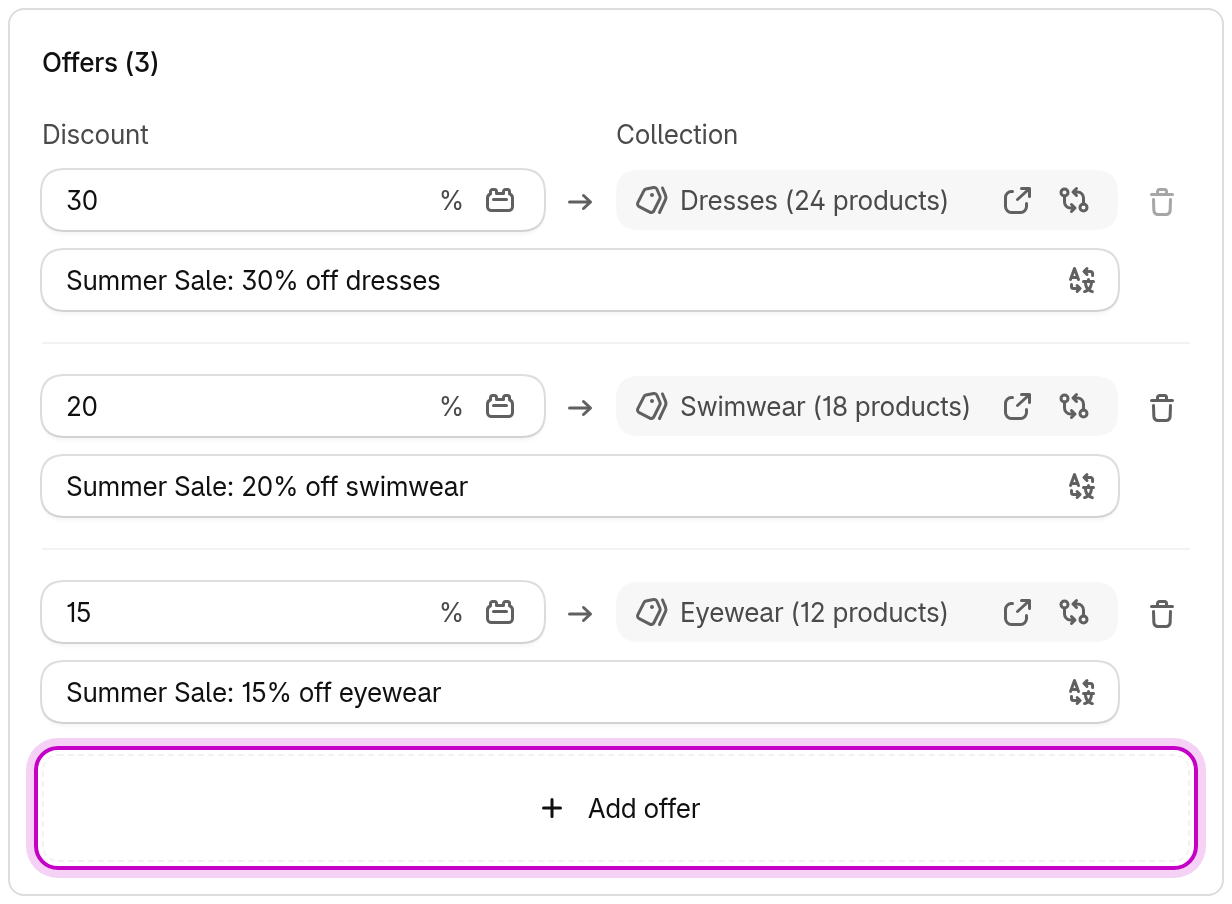
Each offer is one row: the discount on the left, the collection it applies to on the right.
- Discount is the offer’s value, a percentage or an amount depending on the discount type. Amounts are in your store’s currency and converted at the checkout rate.
- Collection is the one collection the offer covers. Click Browse to pick it. To give several collections the same discount, add an offer for each.
- Customer message (automatic discounts only) is what customers see in the cart and at checkout for that offer. If your store has more than one language, the button at the end of the field translates it.
Click Add offer to add a row. A sale always keeps at least one offer, so the first offer can’t be removed. A sale can target up to 100 collections.
Amounts in other currencies
Section titled “Amounts in other currencies”If your store sells in more than one currency, offers taking an amount off or setting a fixed price show a Change currency button. Use it to set an exact amount for a currency instead of converting it. That amount is used as entered.
Reading values from a metafield
Section titled “Reading values from a metafield”Instead of typing a value, an offer can read it from a metafield on each variant or product, so every item can have its own markdown. Click the metafield button in the Discount field, choose Variant or Product, then pick the metafield.
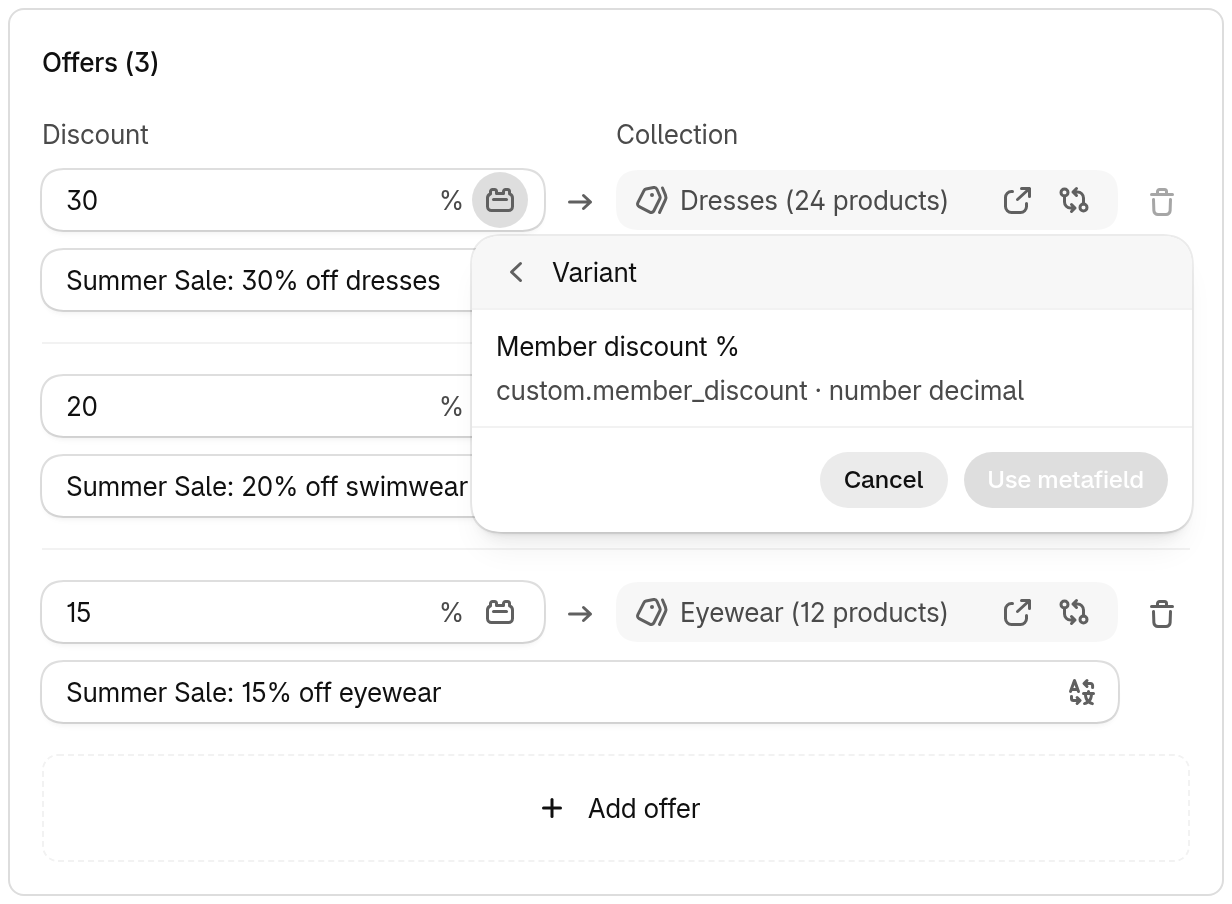
The list only shows metafields that suit the discount type:
- Percentage off reads a number metafield, such as an integer or a decimal.
- Amount off and Fixed price read a money value. That can be a money metafield, an
integer metafield read as cents (
1999means 19.99), or a JSON metafield of cents for each currency, such as{"USD": 1999, "EUR": 1799}.
Each item reads only the metafield you picked. A product metafield is read from the product and a variant metafield from the variant, with no fallback between the two. Items without a value don’t get the offer.
When offers overlap
Section titled “When offers overlap”A product can be in more than one of the sale’s collections. The editor warns you when it finds offers that share products:
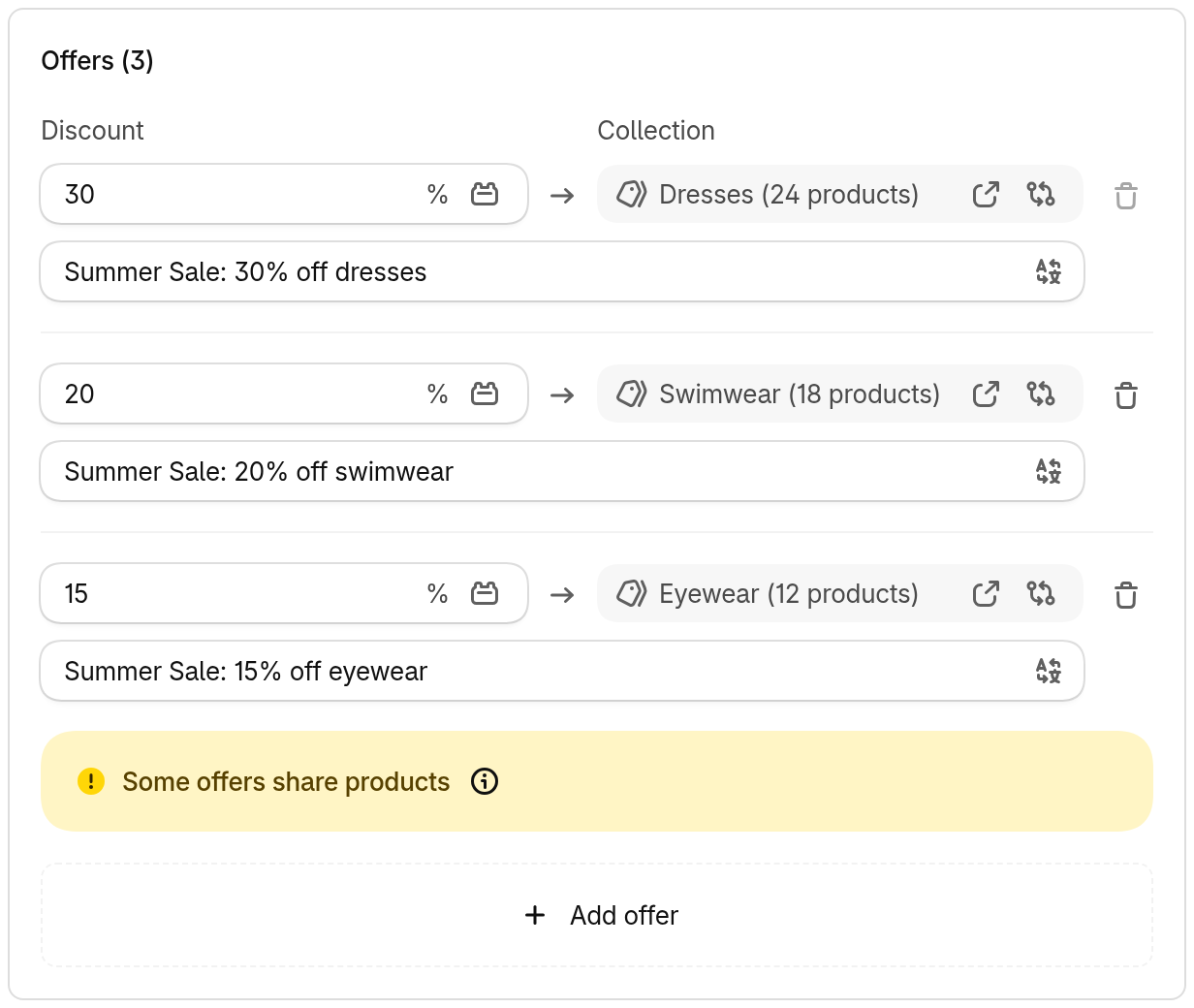
Where offers overlap, the better discount always applies. If two offers save the same amount, the one listed first applies, along with its customer message. Overlap isn’t checked for sales with more than 10 collections, but the same rule still applies at checkout.
Showing the sale on your storefront
Section titled “Showing the sale on your storefront”The sale is applied at checkout. Product prices on your storefront don’t change.
To show what the sale takes off a product, add a Sale Badge (“Save up to 30%”). Build it in Discount Kit → Components for this sale, then place it with the Component block.
Good to know
Section titled “Good to know”- An offer whose collection has been deleted applies to nothing. The editor tells you to pick another.
- Combinations with other discounts are set in Shopify’s own Combinations section on the same page.
- A sale is a product discount. It doesn’t discount shipping or the order total.