Shipping
A Shipping discount takes money off the delivery options customers choose from at checkout. One discount holds up to four discounts, each with its own rules for which delivery options qualify and its own value. For example:
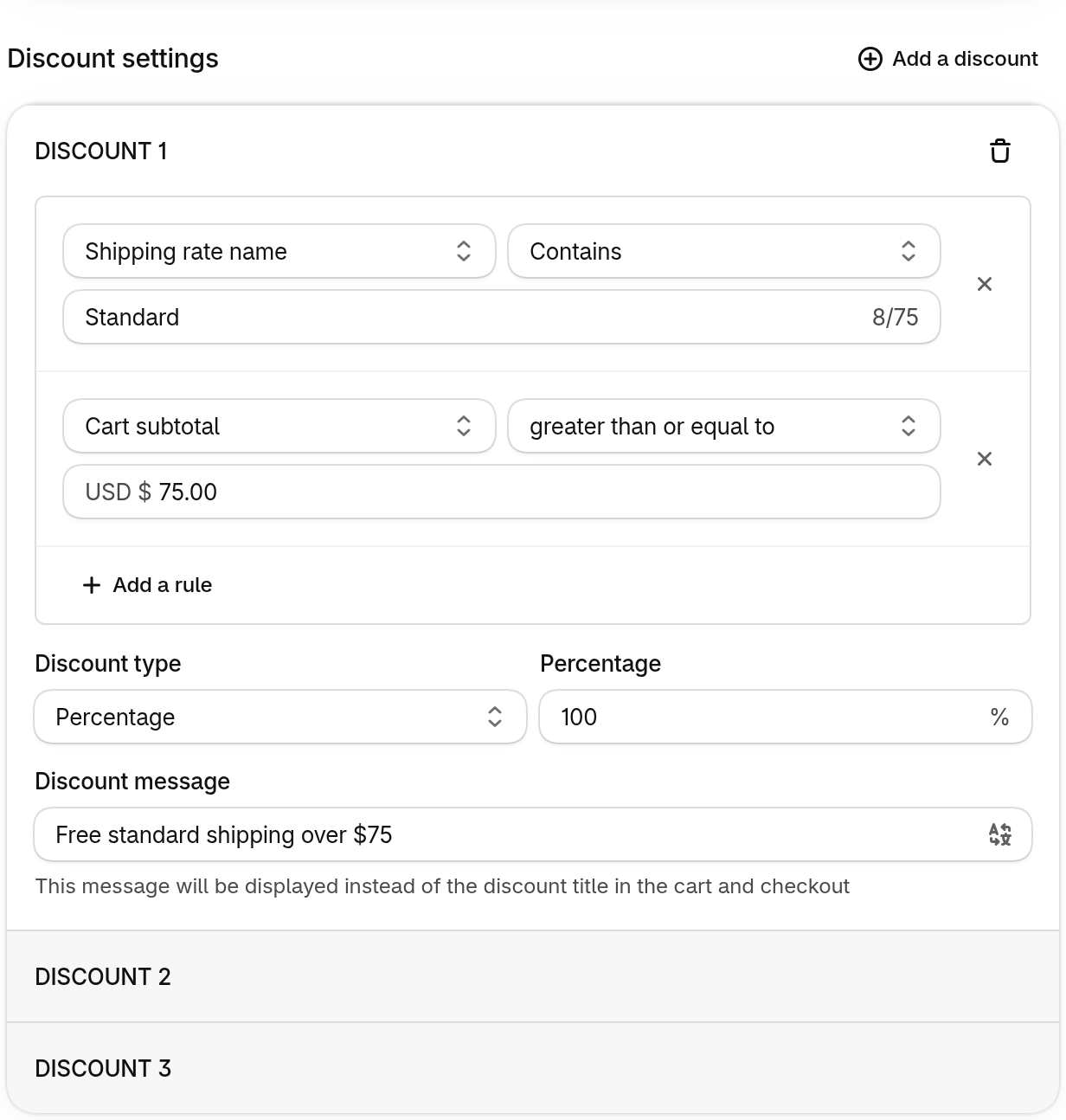
- free standard shipping over $75
- half-price express shipping over $40
- a $4.99 flat rate for parcels under 2 lb
Use it for shipping offers Shopify’s own free shipping discount can’t express: different deals for different rates, or rules based on cart weight or quantity.
-
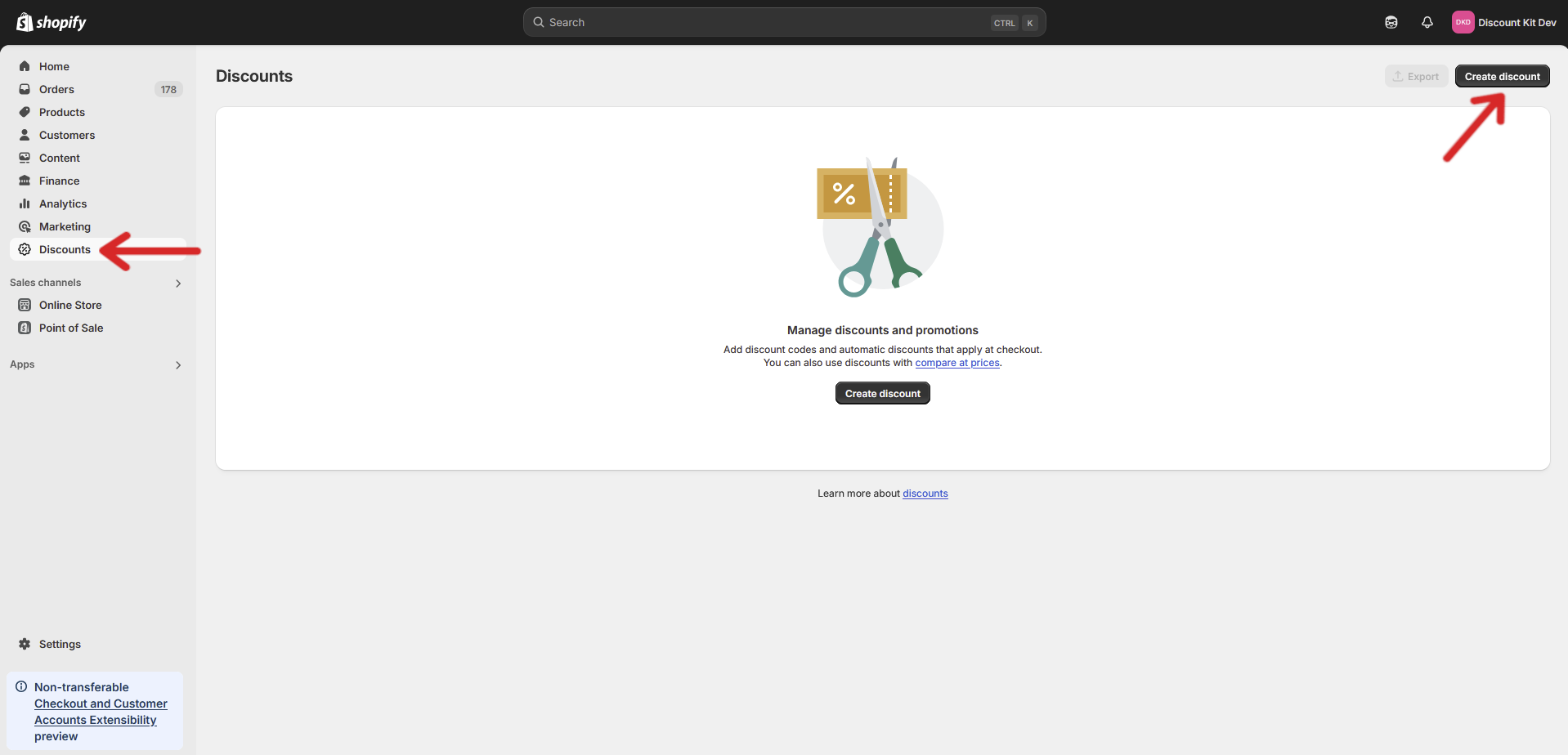
Open your store’s Discounts page and click Create discount
-
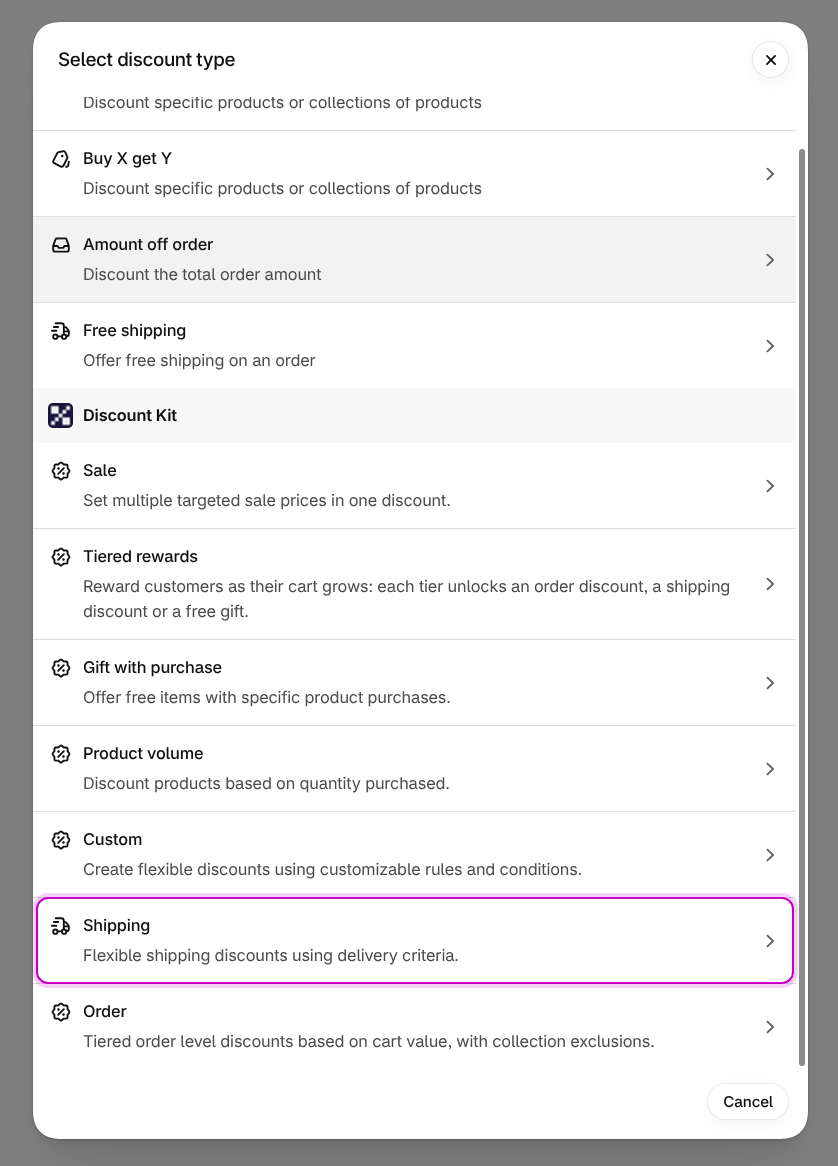
Under Discount Kit, choose Shipping
-
Set up each discount’s rules and value, then click Save
Discount settings
Section titled “Discount settings”Click Add a discount to add another, up to four. Each discount opens as its own row (DISCOUNT 1, DISCOUNT 2, …), and a shipping discount always keeps at least one.
Rules decide which delivery options a discount applies to. With no rules, it applies to every delivery option. Click Add a rule to add one, up to six per discount. A delivery option has to match every rule.
Each rule has a type, a comparison and a value:
- Shipping rate — the delivery option’s own price: greater than or less than an amount.
- Shipping rate name — the rate’s title as customers see it at checkout: contains or
equals some text. The match is case-sensitive, so
Expressdoesn’t matchexpress. - Cart quantity — the number of items in the cart.
- Cart subtotal — the cart’s value after other discounts, not counting shipping.
- Cart weight — the cart’s total weight, in g, kg, oz or lb. Items without a weight count as zero. All weight rules in a discount share one unit.
Quantity, subtotal and weight rules compare with greater than, greater than or equal to, less than, or less than or equal to. Always enter a value: a rule with no value stops the whole discount from applying.
Choose a Discount type:
- Percentage — a whole-number percentage off the delivery option, from 1 to 100. 100% makes it free.
- Fixed discount amount — an amount off the order’s shipping. It’s one amount for the whole order: if the order ships in several parcels, it’s shared between them, not taken off each.
- Fixed shipping price — sets the delivery option’s price. Options that already cost that much or less are left alone.
Discount message
Section titled “Discount message”For automatic discounts, each discount has a Discount message, shown instead of the discount title in the cart and at checkout. The button at the end of the field translates it into your store’s other languages (see Localized messages).
Other settings
Section titled “Other settings”The rest of the page is shared with other discount types. See Common settings for:
- Method and title or code
- Eligibility and, in the sidebar, B2B, Cart attribute, Currency, Customer, Market and Retail
- Maximum discount uses (codes only), Recurring payments for subscriptions, Active dates and Tags
Test mode limits the discount to customers tagged test; see Test mode.
Combinations
Section titled “Combinations”A Shipping discount can combine with Product discounts and Order discounts. It can’t combine with another shipping discount, because Shopify doesn’t combine shipping discounts with each other. See Stacking.
Good to know
Section titled “Good to know”- Shipping discounts don’t show on your storefront: there’s no component for them, and they apply at checkout once a delivery option is chosen.
- With no Currency set, amounts are in your store currency and converted at the checkout rate. With Currency set, the discount only applies to carts in that currency.
- B2B customers don’t get the discount unless you turn on B2B.