Tiered rewards
A Tiered rewards discount is a spend-and-save ladder. You set a series of offers, each with a minimum and one reward:
- Order — a percentage or fixed amount off the order
- Shipping — a percentage or fixed amount off shipping (100% is free shipping)
- Gift — one or more free items, chosen from the products you pick
Rewards build up as the cart climbs: every gift the customer has reached is given, and the biggest order discount and the biggest shipping discount they’ve reached apply.
-
Open your store’s Discounts page and click Create discount
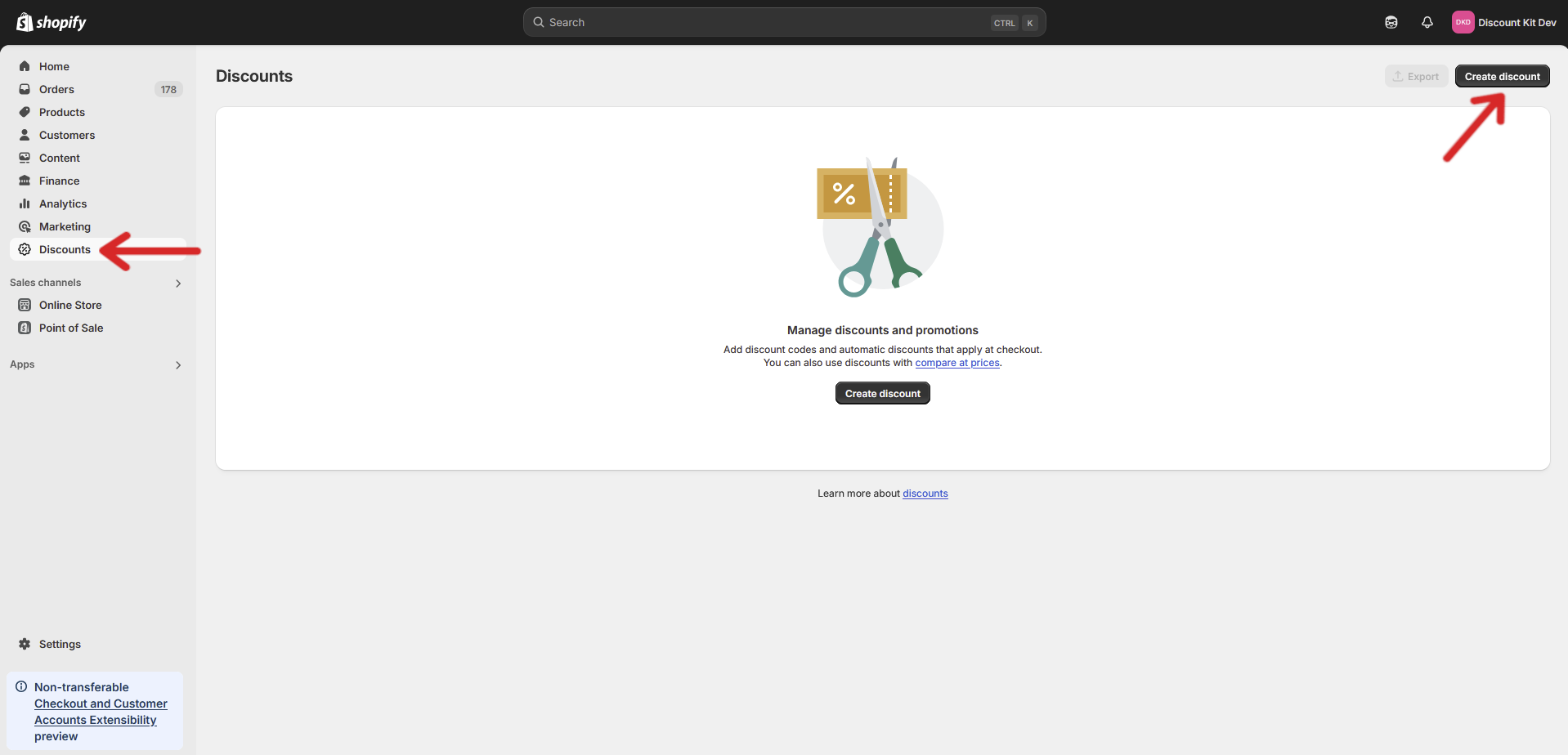
-
Under Discount Kit, choose Tiered rewards
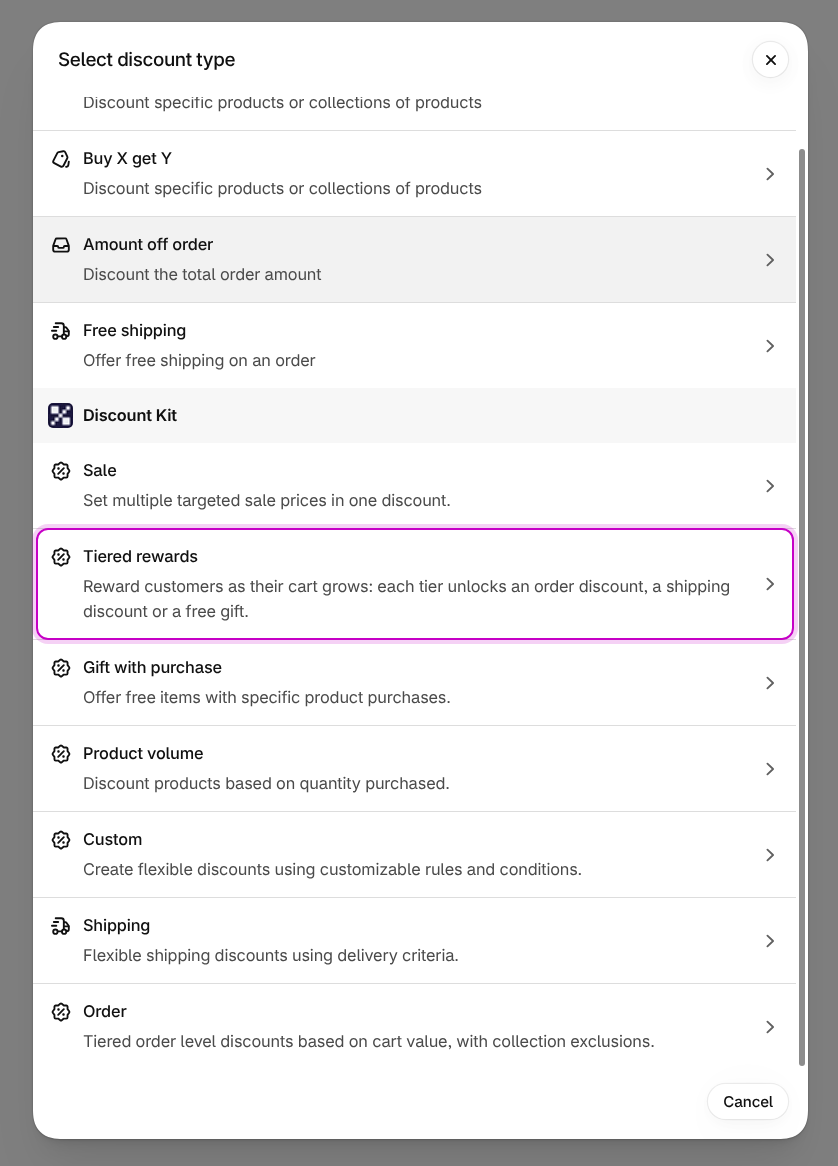
The discount opens on Shopify’s own discount page, with the Discount Kit settings in their own section.
-
Add your offers, configure the settings and click Save
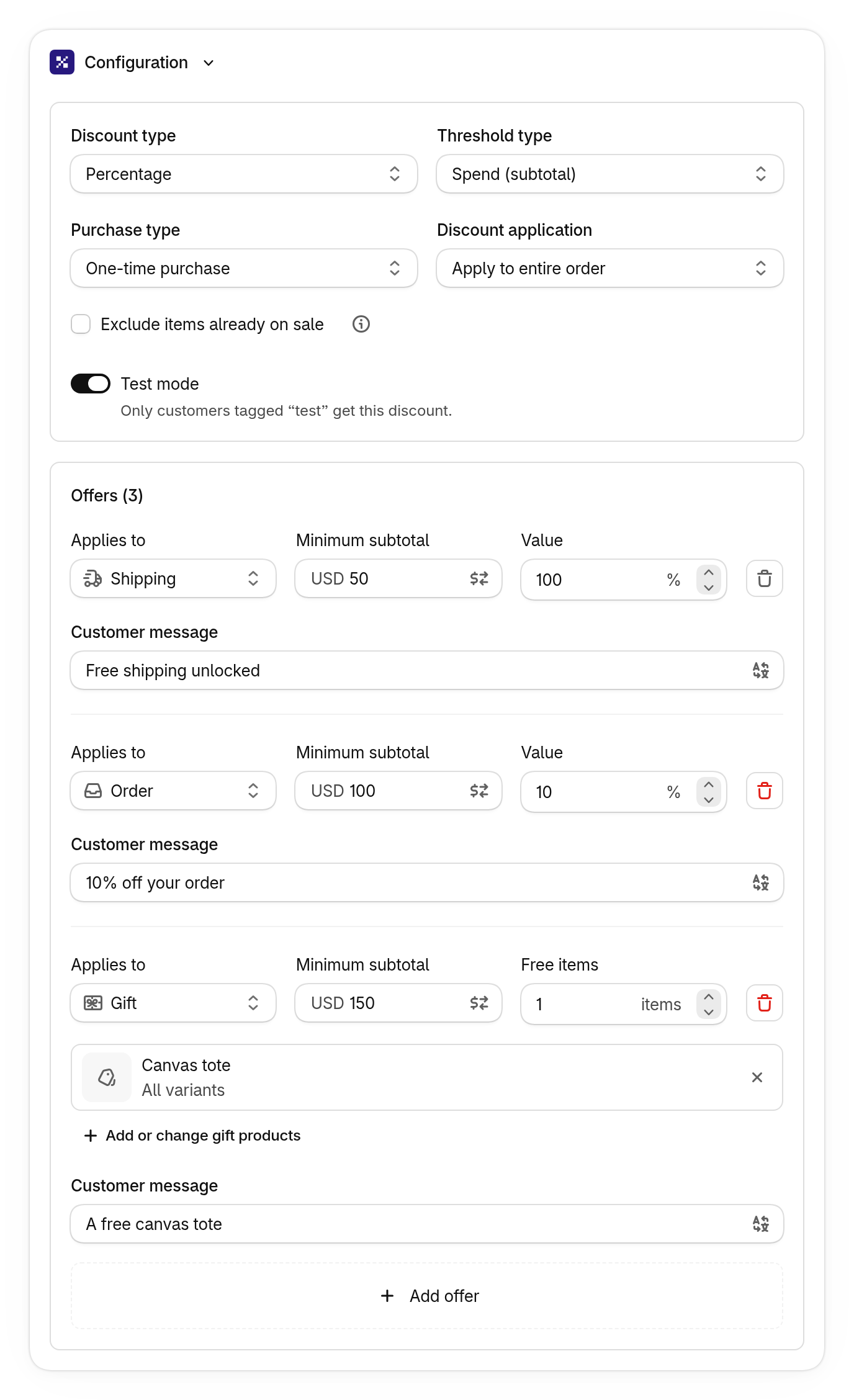
Settings
Section titled “Settings”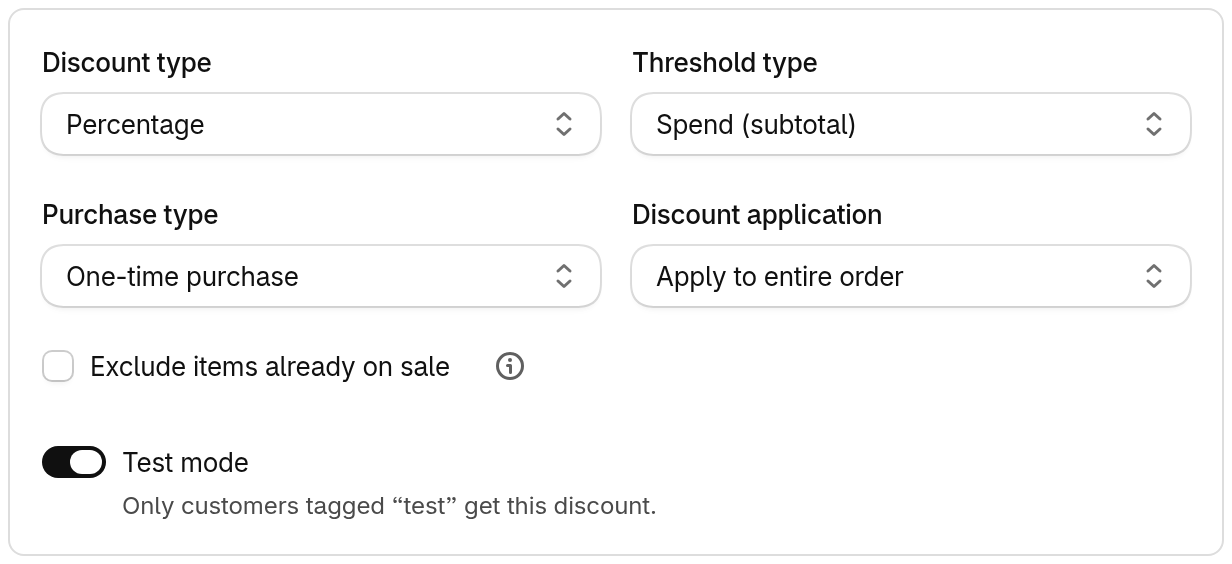
Threshold type
Section titled “Threshold type”What each offer’s minimum is measured in:
- Quantity — the number of items in the cart
- Spend (subtotal) — the cart’s value before discounts
- Spend (total) — the cart’s value after product discounts
Gift offers need Spend (subtotal) or Quantity. With Spend (total), only order and shipping offers are available.
Discount type
Section titled “Discount type”Percentage or Fixed amount. One setting covers every order and shipping offer.
Purchase type
Section titled “Purchase type”Whether the discount applies to one-time purchases, subscriptions, or both.
Discount application
Section titled “Discount application”Apply to entire order, or Exclude specific collections: products in the excluded collections don’t count toward the minimums and don’t get the order discount.
Exclude items already on sale does the same for items with a compare-at price higher than their price.
Test mode
Section titled “Test mode”Only customers tagged test get the discount, so you can try it on your own store first.
See Test mode. This is the only eligibility setting: every other
customer, including B2B customers, gets the discount once test mode is off.
Offers
Section titled “Offers”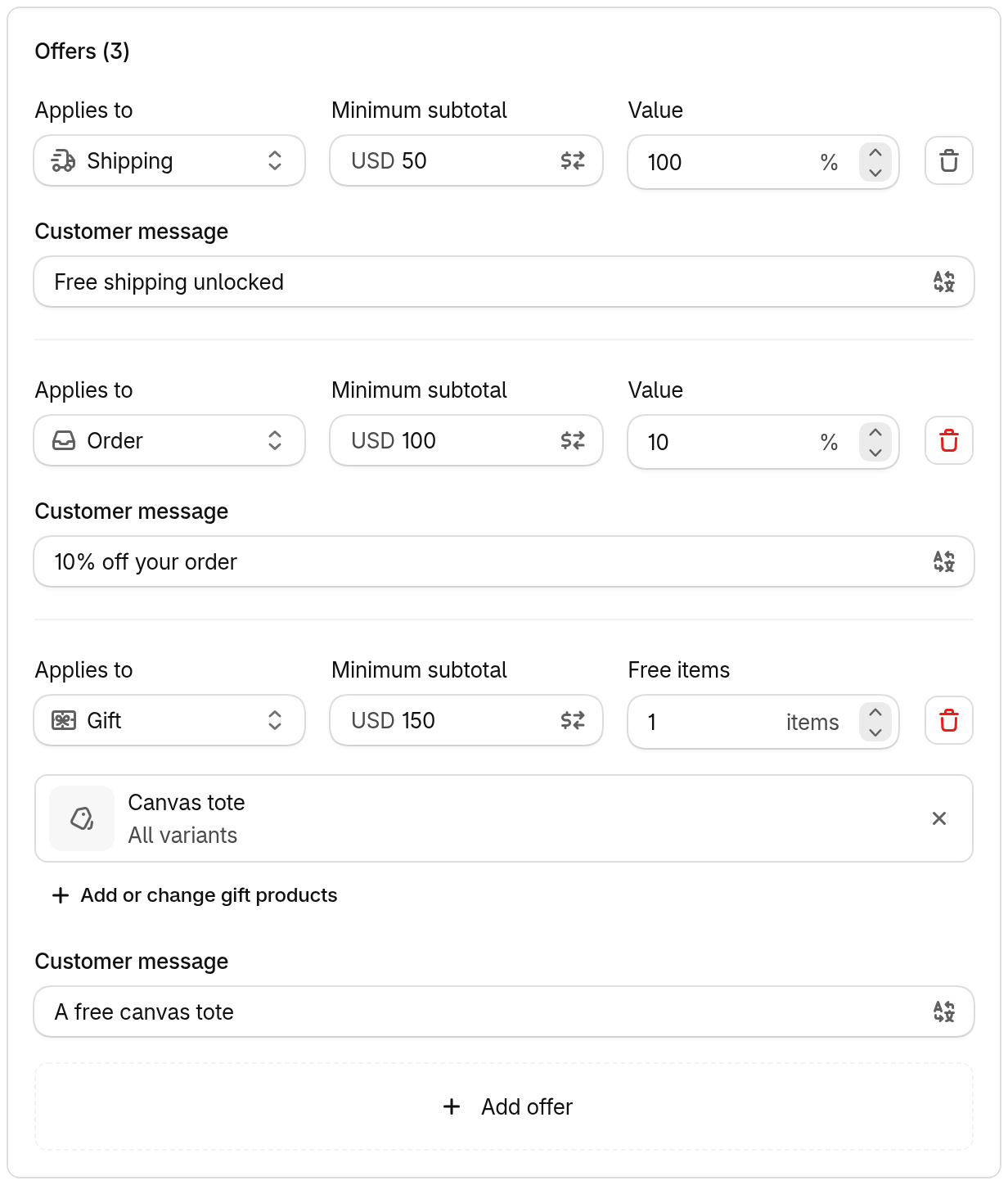
A discount can have up to 10 offers. Each offer has:
- Applies to — Order, Shipping or Gift
- Minimum — the subtotal or quantity that unlocks it. Each offer’s minimum must be at least as high as the one above.
- Value — the discount amount, or for a gift offer, the gift products and how many items are free
- Customer message — shown at checkout with the offer’s reward, and translatable into your store’s languages (see Localized messages)
Amounts in other currencies
Section titled “Amounts in other currencies”Minimums and fixed amounts are set in your store currency and converted at the current exchange rate. To set an exact amount for a currency instead, choose that currency in the amount field and enter its own value.
Gift offers
Section titled “Gift offers”A customer only gets a gift free once it’s in the cart as a gift. The Gift with purchase app embed adds it for them: turn it on in the theme editor, and gift offers are added, swapped and removed exactly like a gift with purchase discount’s gifts — including the Gift Selector when an offer has more than one product or variant to choose from. Gift items never count toward a minimum.
Showing progress on the storefront
Section titled “Showing progress on the storefront”The Tiered Rewards component shows a progress bar
toward the next offer, with its own icon and message for order, shipping and gift rewards.
Place it with the Component app block, or as a <dkl-tiered-rewards> tag anywhere in
your theme — including the cart drawer and cart page.
The legacy Order Goal Banner block only works with Order discounts, not tiered rewards.